A simple list you can finish
Task List Master helps you pick the tasks and lists that matter most, then stay with them until they are done.
Open the app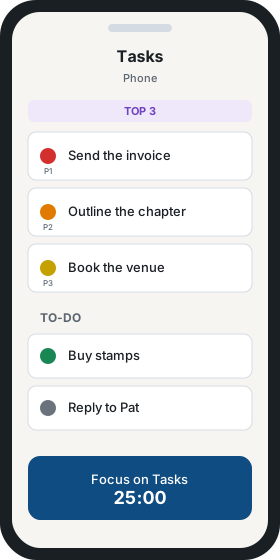
Simple on purpose
There is no calendar. You write tasks and checklists, then add a priority, a due date, and subtasks when a task needs them. The list is the whole tool.
Choose what to work on
Active tasks stay at the top. The top three are marked so the next step is obvious.
- Sort a group by priority or due date, then drag to put the list in your order.
- Each priority has a color and a P1 through P5 label.
- Move a task between Active, To-Do, and On Hold when the plan changes.
Stay until it is done
Focus mode fills the screen with your active tasks, a work timer, and breaks. Complete the current task and the next one moves up. The app also includes short tips on other ways to focus.
See the work by project and by tag
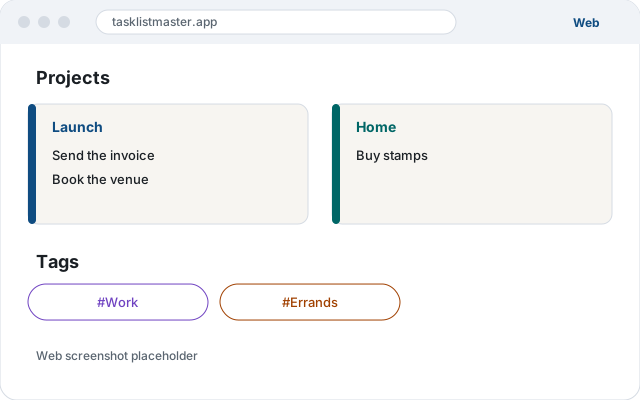
Projects group the tasks and lists that belong together. Tags cut across those projects. A color on each project and tag makes them recognizable at a glance. Both views show the same work, in the order you already set.
Open it in the browser
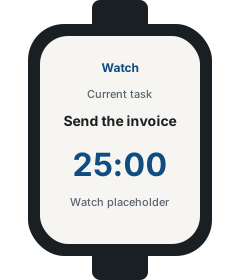
The web app is ready now. Phone, home-screen widgets, and watch are part of the product, so the same list can stay with you.
Open the app